Stills
Lumari Canvas
Layer-based image editing for art, textures, scans, stickers, and Unreal material maps — with AI generate, background removal, and photo restore.
 Lumari
Studio
Lumari
Studio
Lumari Canvas for layers, Unreal maps, and print. Lumari Motion for timeline edits. Own the apps — no subscription.

Canvas for stills and scans. Motion for timelines. One studio you pay for once — no subscription, no cloud lease on your work.

Everything you need to edit stills and timeline video — owned outright on Windows.
Layer-based image editing for art, textures, scans, stickers, and Unreal material maps — with AI generate, background removal, and photo restore.
Timeline editing for cuts, titles, transitions, social framing, and delivery export.

Canvas + Motion together at a lower combined price. One Suite key unlocks both apps.
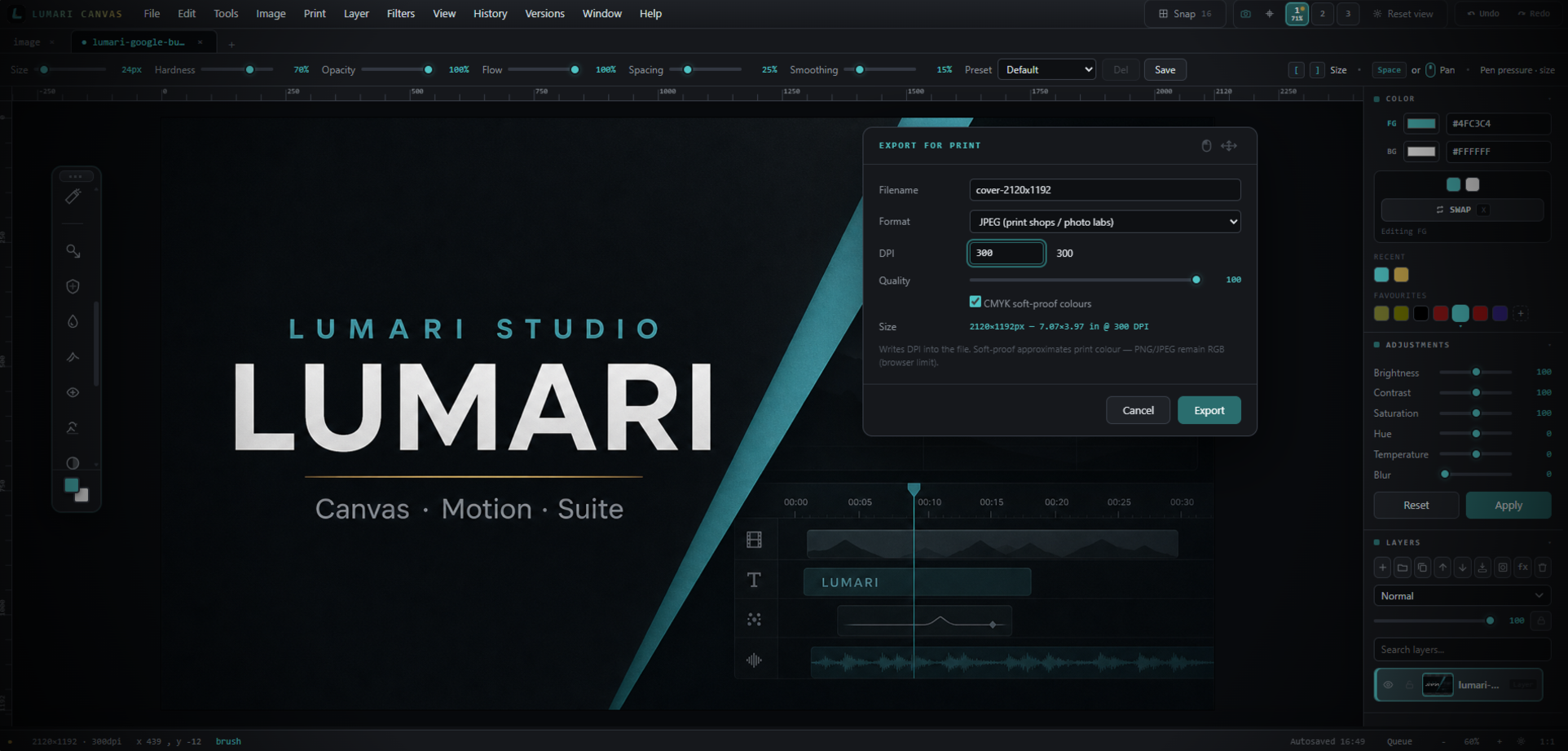
Built for smooth local editing on Windows.
Layers, masks, and adjustments you can revisit.
Workspaces and actions bars that fit the job.
Pay once. Work offline. No subscription.
PSD, PNG, GIF, print packs, and Unreal maps.
Docs, tutorials, and in-app guidance.
Switch between Paint, Photo, Texture, and Full Studio layouts. Each preset adjusts visible panels and can load actions bars suited to that workflow. Add your own commands, dock bars left, right, or along the bottom, and bind shortcuts as needed.
Pin frequent commands to up to three floating actions bars. Dock them where they stay clear of the canvas, colour icons, and remove unused buttons when your process changes.
Start from a layout that already matches the task, then refine. Paint keeps colour and layers close. Photo surfaces adjustments. Texture emphasises export and tiling tools.
Build artwork on a proper layer stack, then take it into Unreal, a sticker sheet, or a postcard layout — from the same Windows application you own outright.
Groups, layer masks, blend modes, clipping, and live styles (shadow, glow, stroke). Adjustment layers for tone and colour. Multi-project tabs for parallel work.
Generate the separate texture files Unreal expects for a material — not a single flattened image. Pack outputs as PNG or TGA, individually or as a zip.
Clean scanned artwork, then produce postcard and print sizes at 300 DPI with mats, bleed, and print-shop export. Sticker and sprite sheets for cut and UI work.
Export PNG, JPEG, WebP, AVIF, TGA, and PSD. Use document size presets for screens, game textures, Steam art, and social formats when you create a new file.
Dark, Light, Frost, Mist, Sand, Porcelain, Earth, Clay, Moss, Slate, Ink, and Ember — switch at any time from Preferences.
Document presets, collage, light path, pattern maker, scan cleanup, Unreal material export, shortcuts, and print sizing — common paths through Canvas.
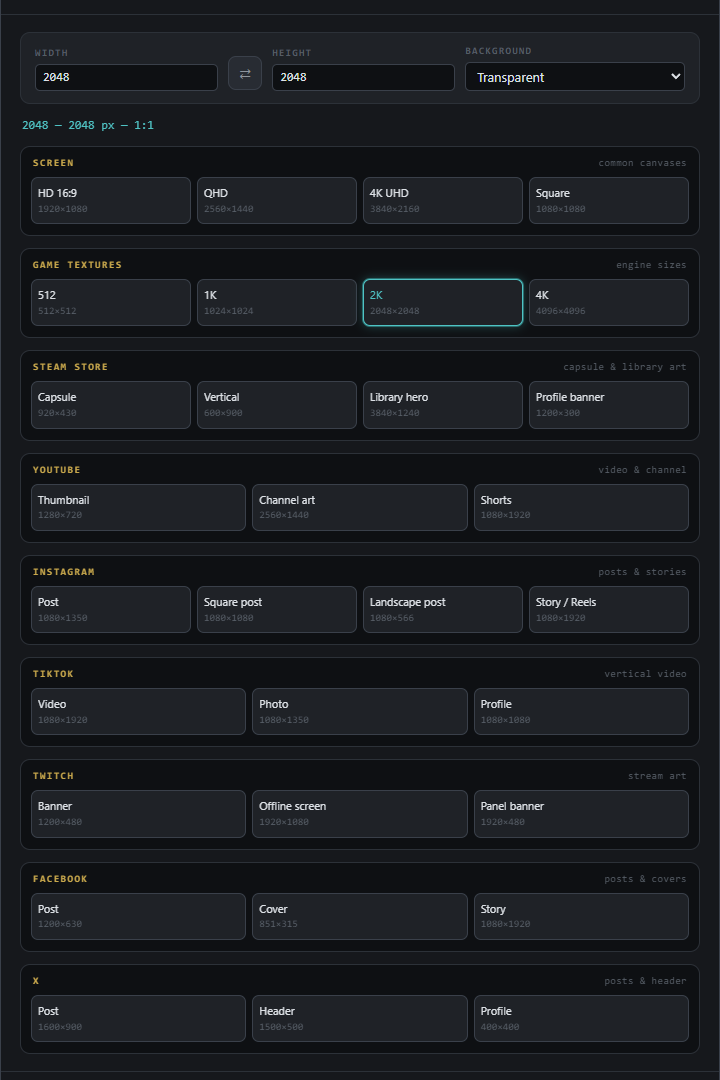
New Document opens with ready-made sizes — screens and game textures, Steam capsules, YouTube, Instagram, TikTok, Twitch, Facebook, and X.
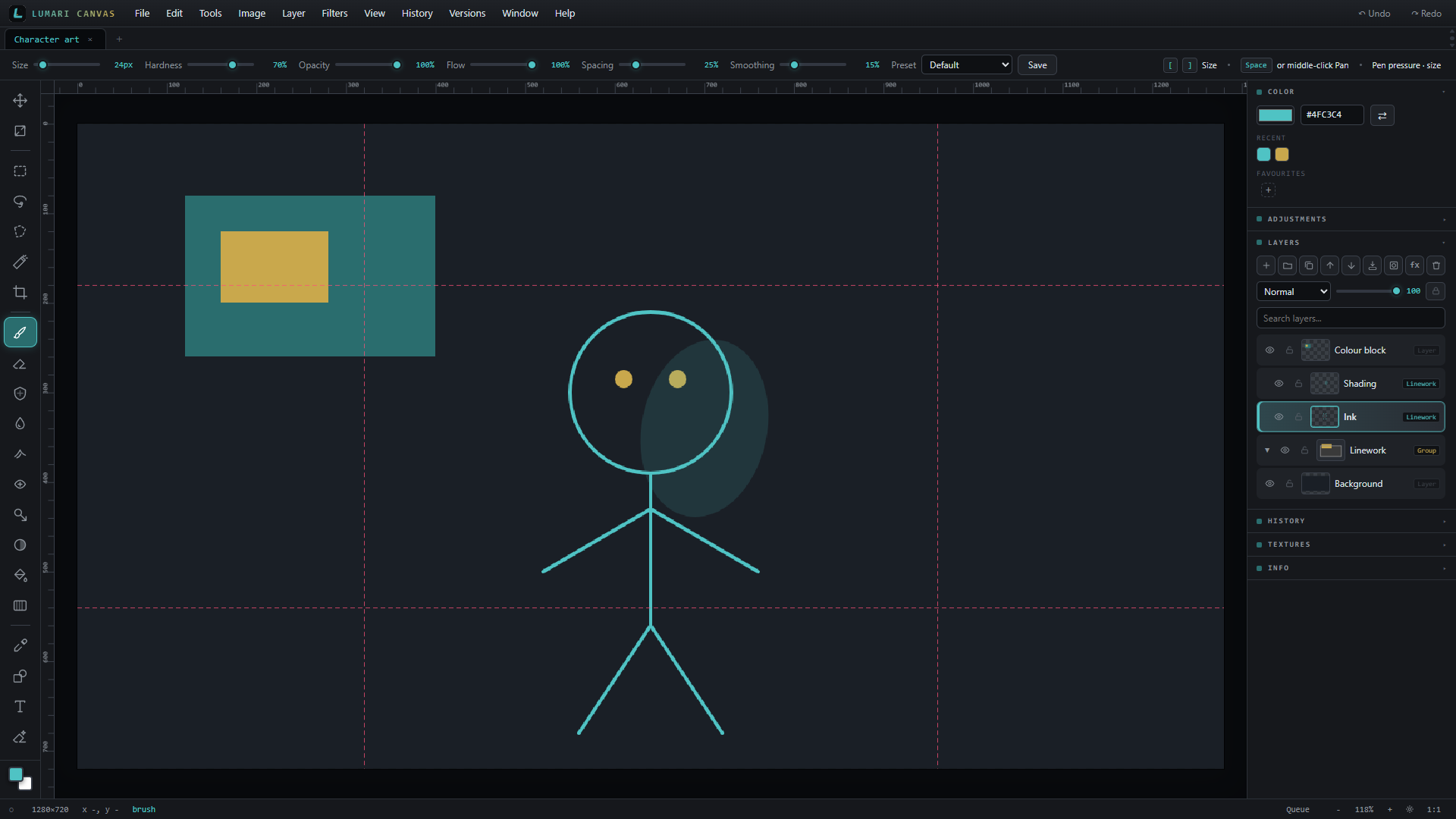
Build a clear stack, nest into groups, and always see which layer is active before you delete or paint.
Scan real watercolour upside-down as a pair, align, and wipe paper grain while keeping paint colour — with a live before/after slider and clear side labels.

Turn a cleaned scan into a cut-ready sticker — white border, padding, and an optional print-shop die-line, with a live preview before you commit.

Generate artwork from a prompt, cut out backgrounds, and restore old photos. Start free with a Hugging Face token, or plug in your own API keys — on-PC tools never upload your image.
Drop several photos into a grid, tweak spacing and shuffle, then export or open as layers for a final polish.
Window, bulb, spot, soft, or off-screen light with a live preview and stacked adjustments — each with its own feather.
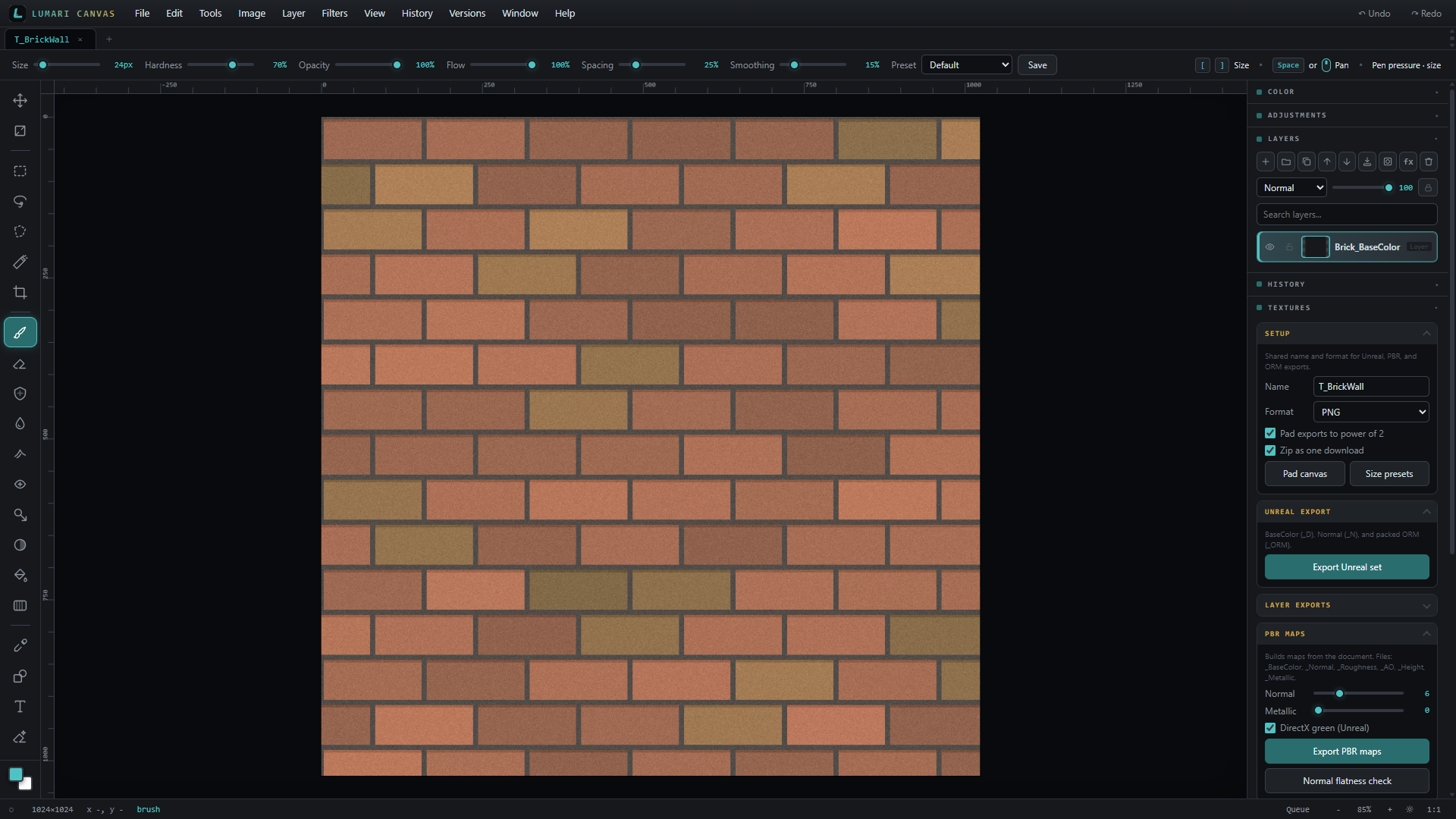
Generators, seamless tiling, 9-slice, and sprite sheets live in the Textures panel when you need UI or atlas exports.
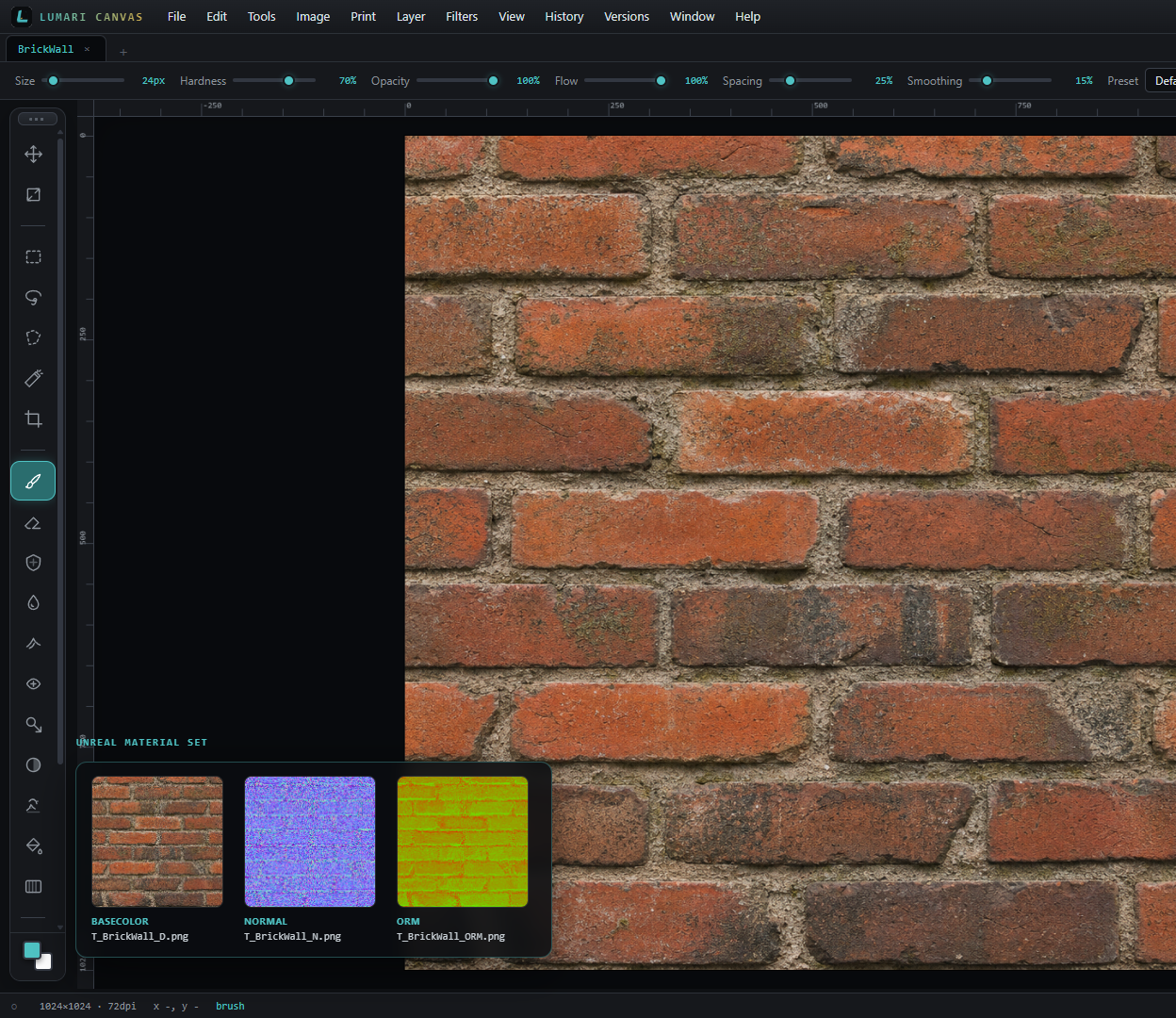
Open a surface in Canvas, then export the separate texture files Unreal expects for a material — not one flattened image.
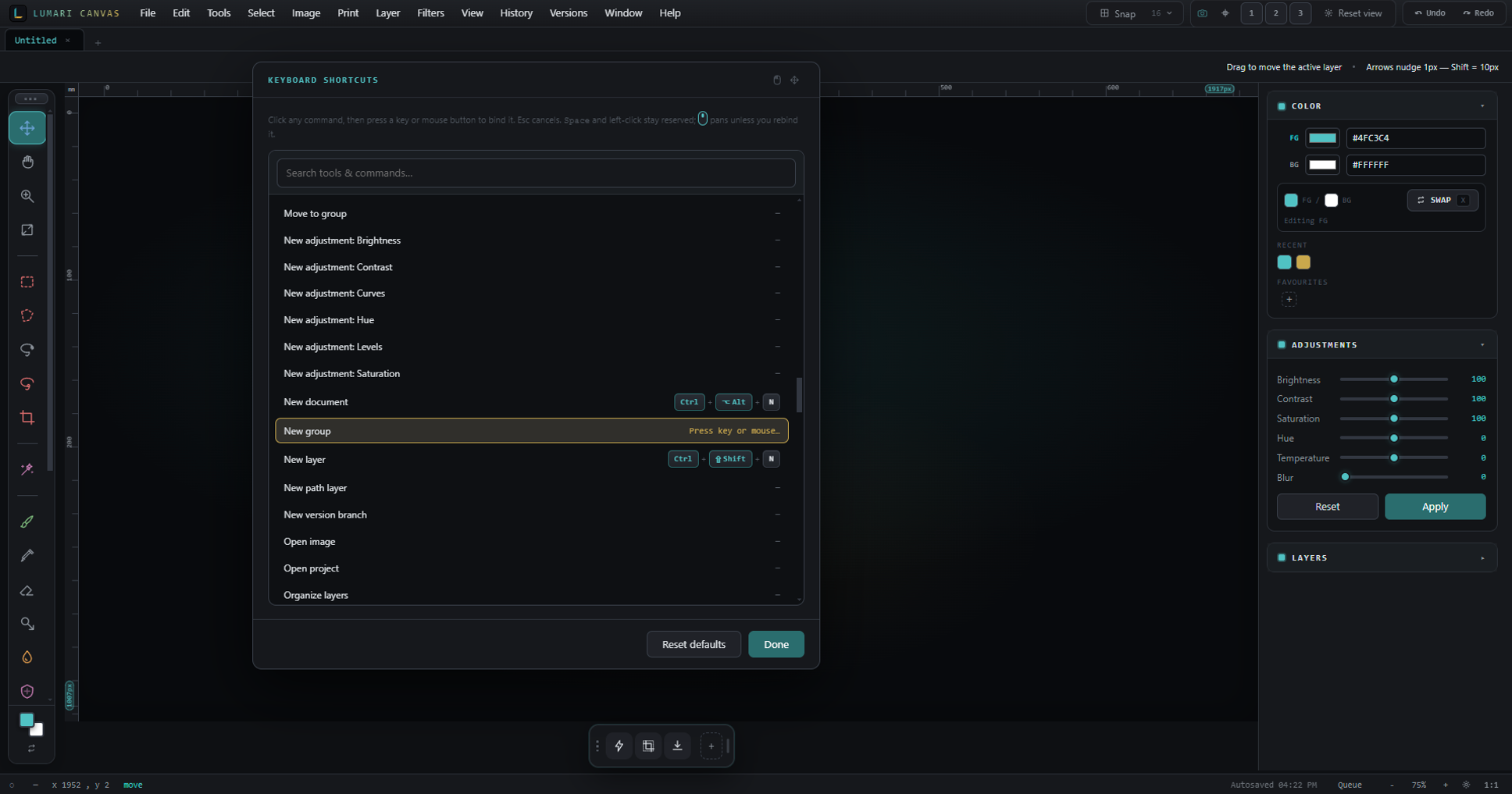
Open Keyboard shortcuts in Help and bind any menu action or tool to the keys you want — not just the defaults.
Print scales to HD, Instagram, YouTube, and more. Export remembers your recent filenames and writes DPI into PNG/JPEG metadata.
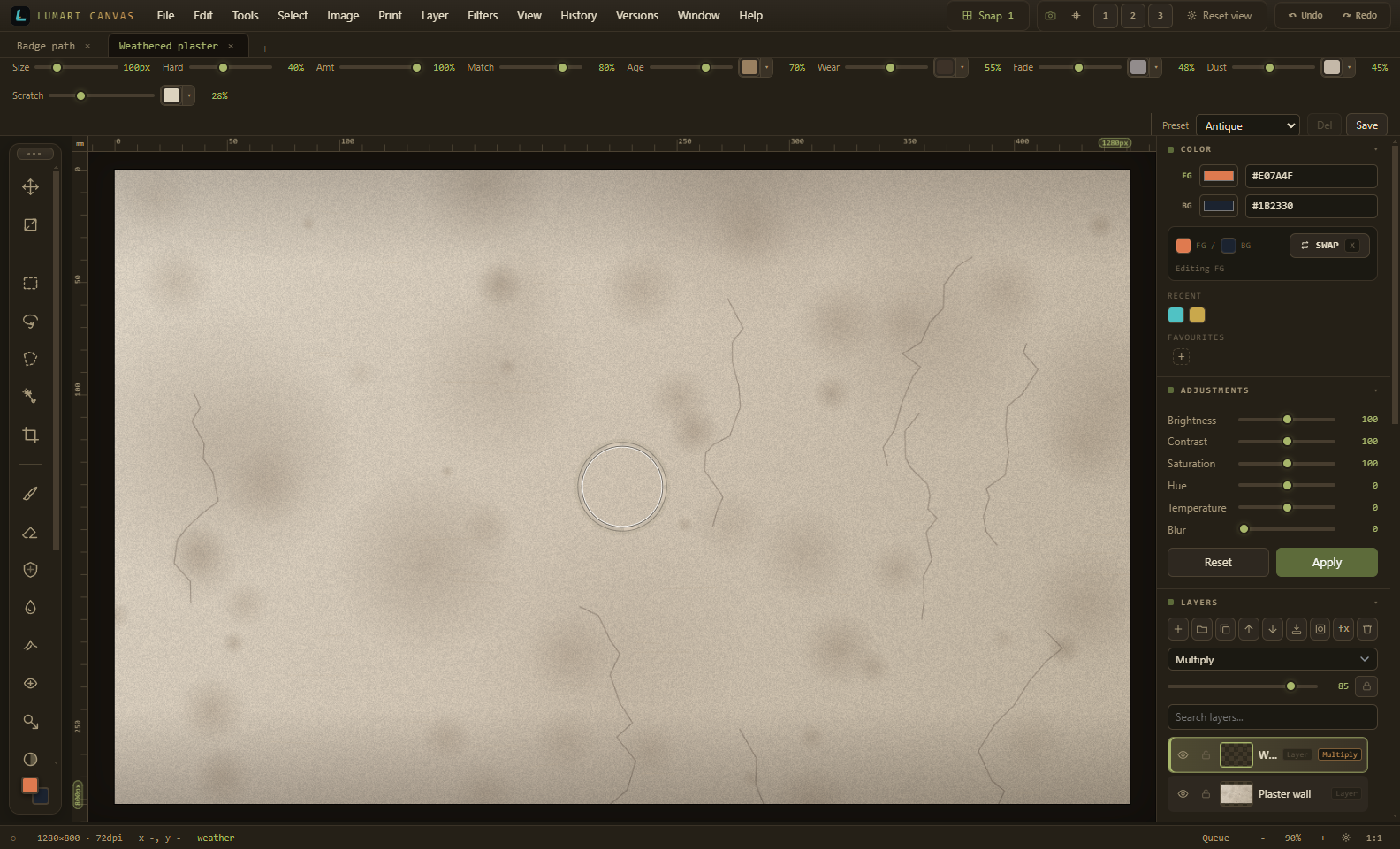
Distress textures with weathering, wear, fade, dust, and scratches — presets on the options bar so you can stay in flow.
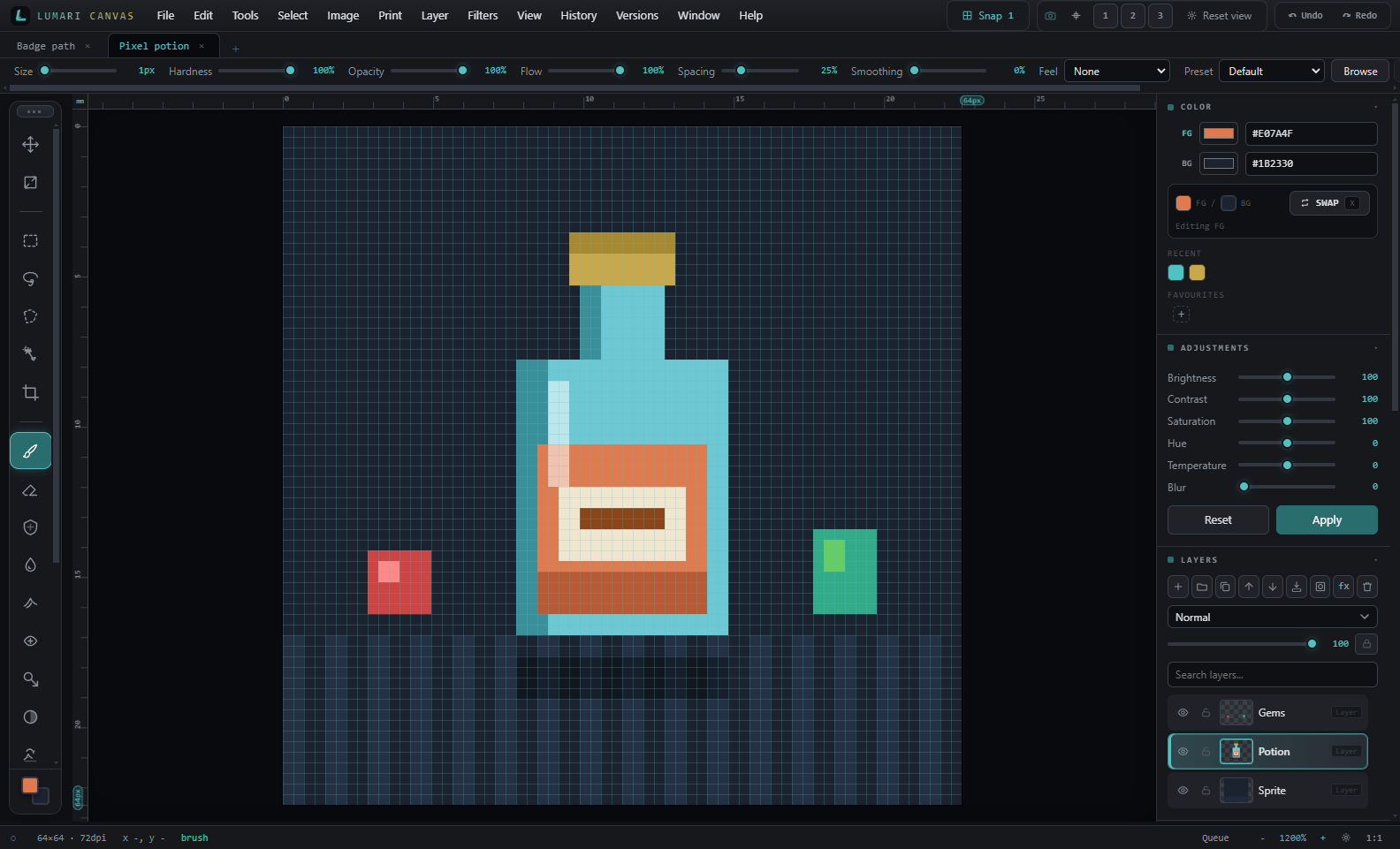
Flip on nearest-neighbour zoom, a 1 px grid, and hard brushes so Size 1 paints a true document pixel.
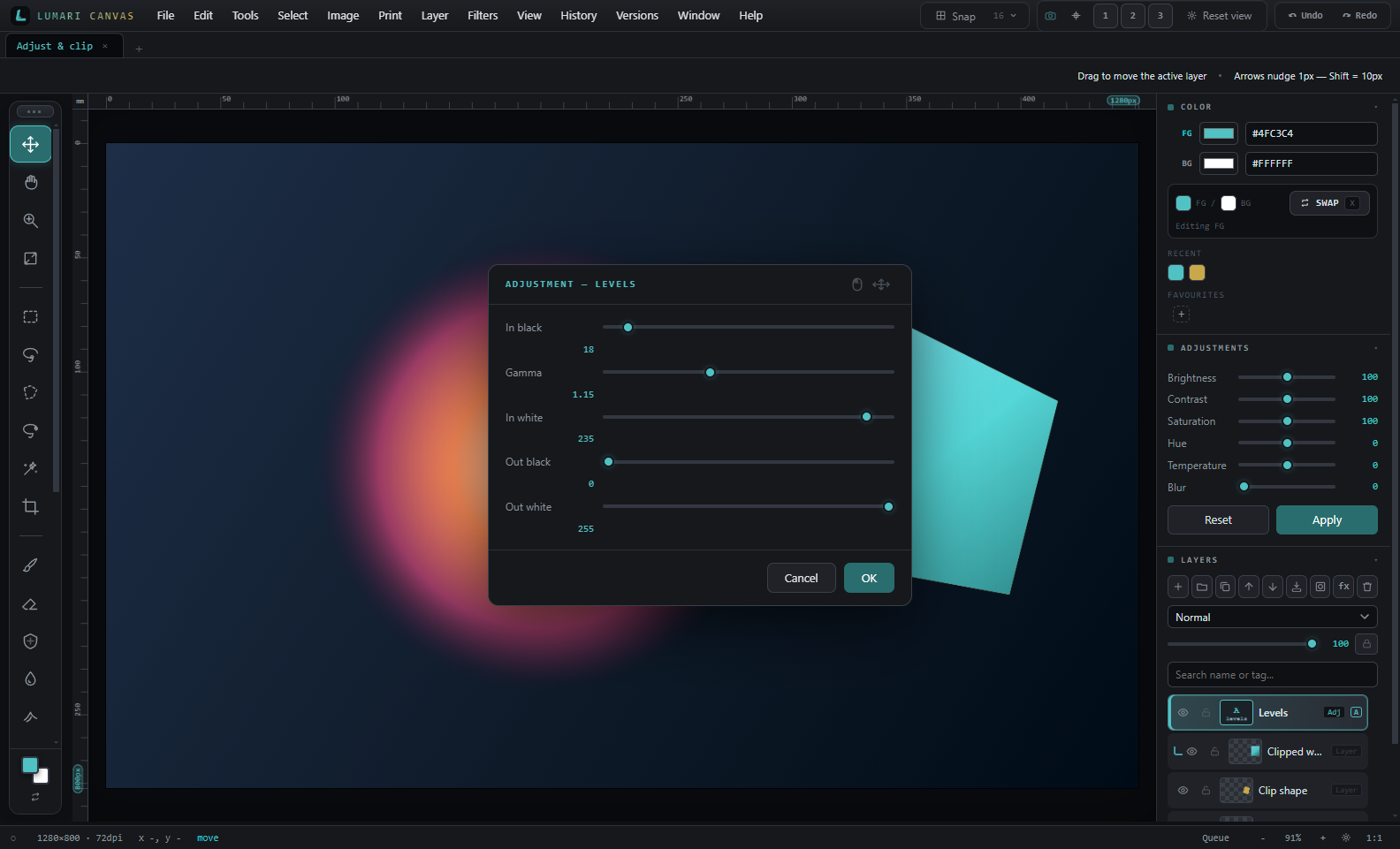
Non-destructive Levels, Curves, and colour tweaks sit in the stack. Clip a layer to the shape below — right-click any layer to add an adjustment.

Hover the shot to play a real Flipbook export — paint each cel on its own layer, preview at 12 fps, then Export GIF.
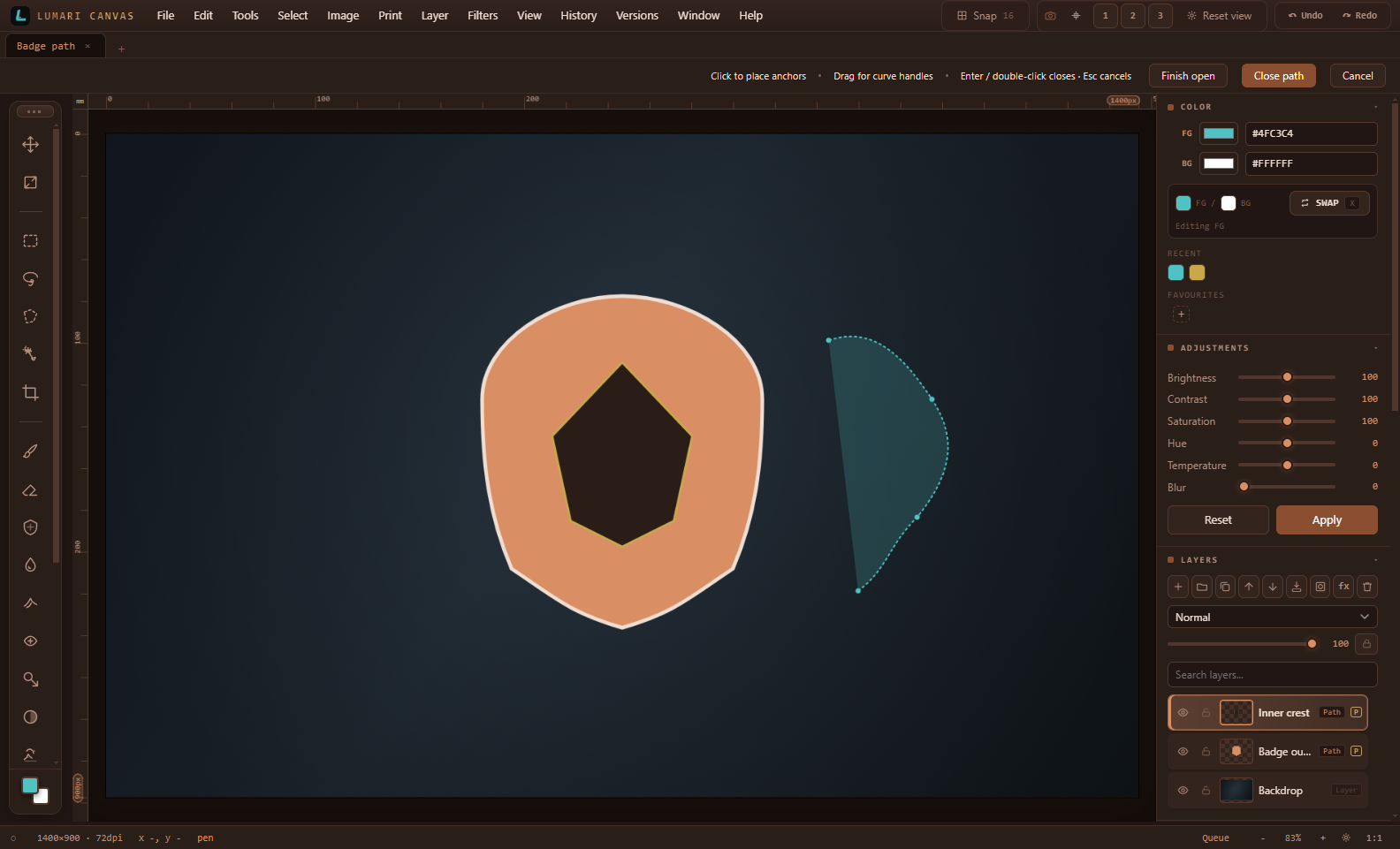
Draw vector path layers with anchors and handles, fill or stroke, then rasterize when you need pixels.
Next up: Lumari Motion — or download Canvas.
Whether you’re editing a still, cleaning a scan, or finishing a timeline, Lumari Studio keeps Canvas and Motion in one place you own.

Multi-track timeline, titles, fades, audio FX, transitions, and export framing for Shorts, Reels, TikTok, YouTube, and square posts.
Cut, blend, look, and export for Shorts, Reels, TikTok, YouTube, and square posts.
Pick the frame once — YouTube, Shorts, TikTok, IG Reels, Square, or 4:5 — and edit inside the safe area.

Mark a range, split at the playhead, and detach audio when you need the picture and sound on separate tracks.

Drop crossfades, dissolves, and wipes on the cut — including diagonal fade directions that read correctly on screen.

Drive vignette, grain, colour, and opacity over time so a clip can breathe without leaving the timeline.

Drop title presets, then export WebM or MP4 for the full timeline or just the In→Out range.
Edit stills in Canvas. Cut video in Motion. One Lumari Studio purchase unlocks both applications — no subscription.
Canvas £34.99 and Motion £24.99 separately total £59.98. Suite is £49.99 — both tools, one payment, save £10.
Get Suite — £49.99Installed apps update themselves. Prefer a changelog first? What’s new
Layer editor for stills. Install once, open from desktop or Start Menu.
Download Canvas Setup 1.2.57Timeline video editor for Shorts, Reels, YouTube, and more.
Download Motion Setup 0.2.24Install Canvas and Motion together. Enter your Suite license during setup to activate both applications.
Download Suite Setup 1.0.27No. Pay once for Canvas, Motion, or the Suite. You keep the apps — no account required to run them.
Yes. The Windows installer asks for your product key and will not continue without a valid one. Suite keys (LSUI-…) unlock both Canvas and Motion; Canvas-only (LMAR-…) and Motion-only (LMOT-…) keys unlock that app. Trial keys (LTRI-…) unlock Suite for 3 days. Enter the key during setup so the apps open already activated.
Canvas and Motion check for updates automatically (toggle in Preferences / Help). When a new build is ready they download it and ask to restart. The new version replaces the old install in place — your license and prefs stay. Suite (1.0.27+) installs the latest Canvas and Motion from the update server during setup when you’re online, so you shouldn’t need an immediate second update after Suite. Offline installs use a bundled fallback; each app still updates itself later.
Yes for a clean purchase path: buy once, you’ll get a product key (and later an emailed download link). Soft launch: you can download the installer now, but setup will not finish without a valid key.
Canvas 1.2.57 — Rotate button added to transform/scale tool box. See what’s new for the full list.
0.2.23 fixes fade-in/out diagonal directions (fade in rises BL→TR). Snap intervals hard-quantize; UI size scaling; safer multi-hour timelines; waveform follows fades; split-audio, undo/redo, precise cut, loop, and transition blocks.
Yes. Clean paper with a scan pair (or single-scan polish), then use Make postcard / Make print for standard sizes at 300 DPI with optional mat and bleed. Export for print writes DPI metadata and offers a CMYK soft-proof for print shops and photo labs.
Yes. Save named checkpoints and create branches from the Versions menu — they live inside your .lma project file (up to 24). Restore any checkpoint later, or lock the file so it can’t be edited by accident.
Canvas (£34.99) is the deep stills editor — layers, scans, stickers & die-lines, print / postcard, flipbook GIF, Unreal maps, PSD, and high-quality export. Motion (£24.99) is the timeline video editor (cuts, titles, social framing, looks) — lighter today, growing over time. Suite (£49.99) is both and saves £10.
Yes. Editing stays on your machine and media isn’t uploaded to Lumari Studio. The only exceptions are the opt-in cloud AI tools (Generate image, Remove/Replace background, cloud enhance, cloud text commands) — those send the image or prompt to the AI provider you choose, and only when you run them.
Canvas has AI image generation, background removal & replace, photo restore, upscale/enhance, smart object select, and natural-language text commands. Background removal, replace, and text commands work free with a free Hugging Face token; image generation runs on Hugging Face too (limited free credits) or your own key. Photo restore, upscale, object select, and the classic background remover run on your PC with no account. You can plug in your own OpenAI-compatible API (OpenAI, Groq, OpenRouter, Together, Ollama, LM Studio…) or your own background-removal / image endpoint in AI → AI settings. See the AI docs.
Windows SmartScreen may appear the first time you open an installer from a new publisher. Choose More info, then Run anyway. Once Lumari Studio releases are code-signed, that prompt goes away.
Yes — a 3-day Suite trial (Canvas + Motion). Start from the trial checkout on this page; you’ll get a timed trial key by email. The clock starts the first time you activate it in the app (internet once), on 1 PC only. One trial per customer. When it ends the apps lock until you buy a full licence.
14 days, no questions asked. Email sales@lumari-studio.com and Lumari Studio will sort it.
See Help → Documents for pricing, product keys, Canvas (scans, stickers & die-lines, flipbook GIFs, Unreal maps, shortcuts), and Motion (timeline, fades, export).
Email sales@lumari-studio.com or visit Support — there’s a Report a bug form that emails us directly.
